SMEDIT - A Super Metroid ROM Editor
 |
The MS Paint of Super Metroid ROM hacking. A native cross-platform desktop editor built with Kotlin and Compose. |
The source code can be found on GitHub.
I've been exploring Super Metroid ROM hacking over the last year but could find a Super Metroid ROM Editor that was cross-platform, or with much recent development. What started as a simple curiosity to read/scan Super Metroid ROM data, grew into A full-featured ROM editor that lets you open a Super Metroid ROM, edit rooms, tiles, sprites, palettes, sounds, physics, patches, and then play your changes immediately with an embedded emulator. Edit, play, repeat, cross-session undo/redo, export an IPS file or already patched ROM. SMEDIT or SMEditor. Name is still somewhat TBD :)
Everything is open to the community as I heavily referenced numerous other open source projects, and ultimately dissected the Super Metroid ROM itself with AI, and I also tried to ensure some level of test quality to aid in maintenance. Everyone is welcome!
Room Editor
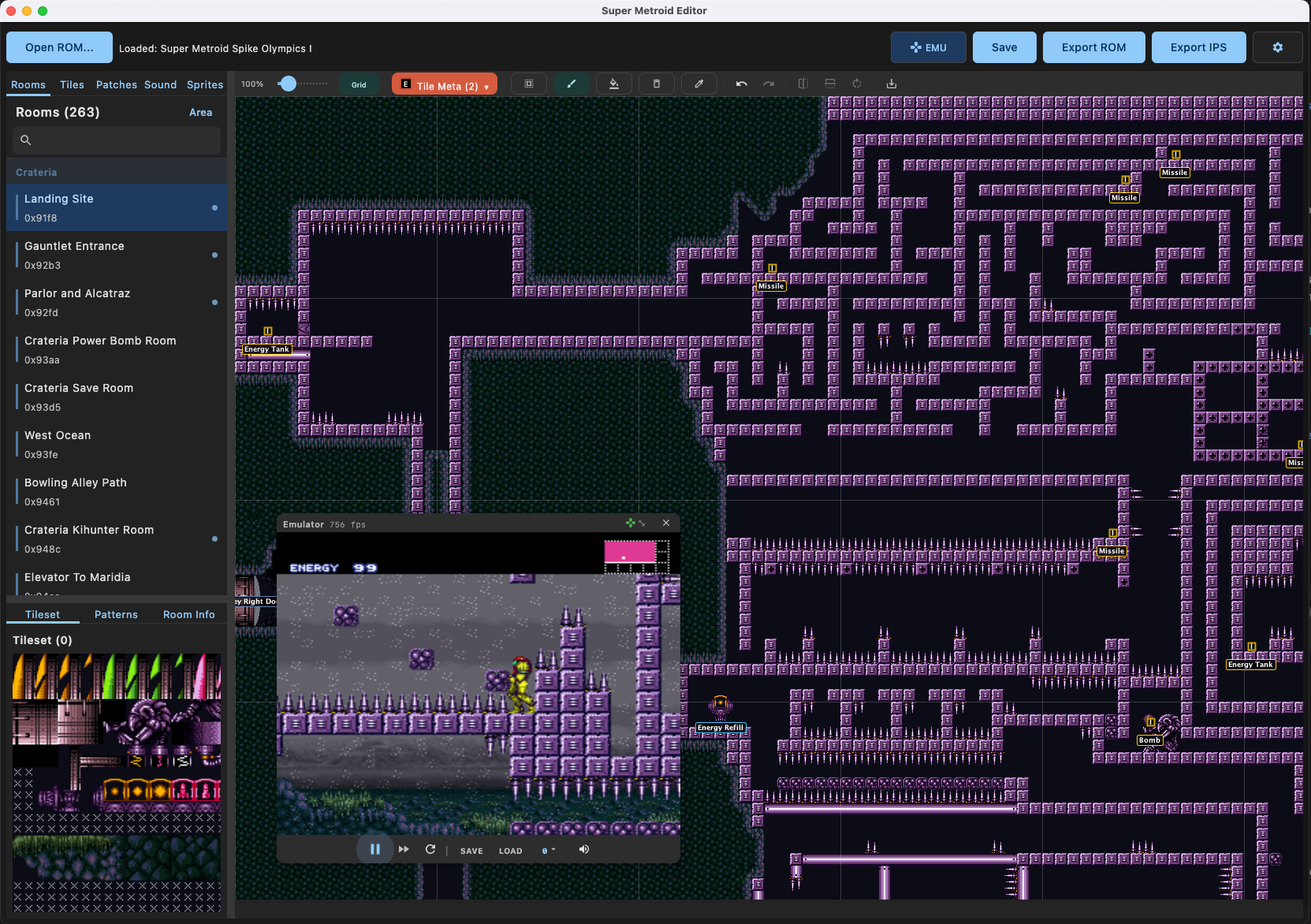
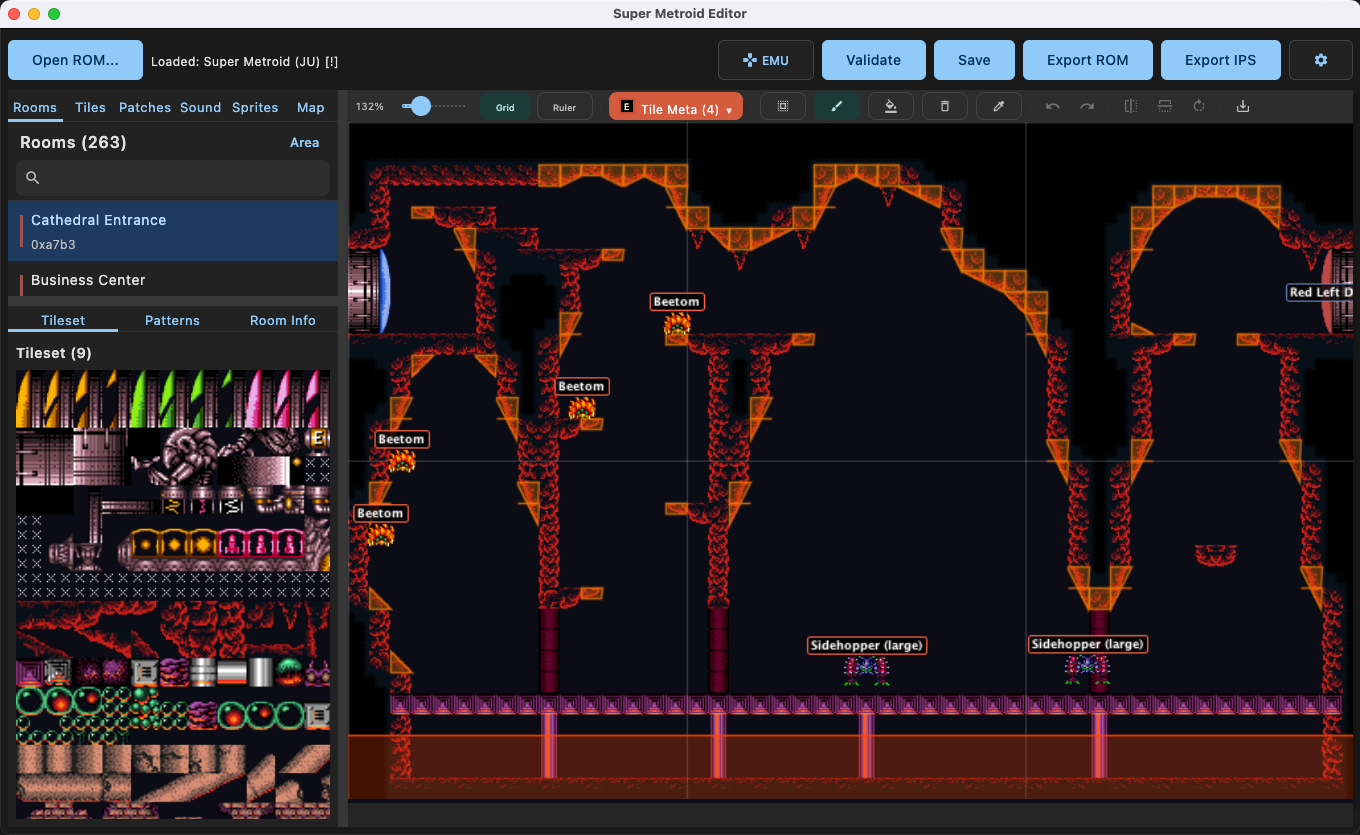
The room editor is the core of SMEDIT. All rooms across every area (Crateria, Brinstar, Norfair, Wrecked Ship, Maridia, Tourian, and Ceres) are browsable from the left sidebar. Click a room, and it renders the full tilemap at any zoom level.
Editing tools include paint, fill, erase, and eyedropper with multi-tile brush support. Right-click any block to edit its block type and BTS (Behind-The-Scenes) properties, things like slopes, shot blocks, crumble blocks, bomb blocks, spike blocks, grapple blocks, speed blocks, and more.
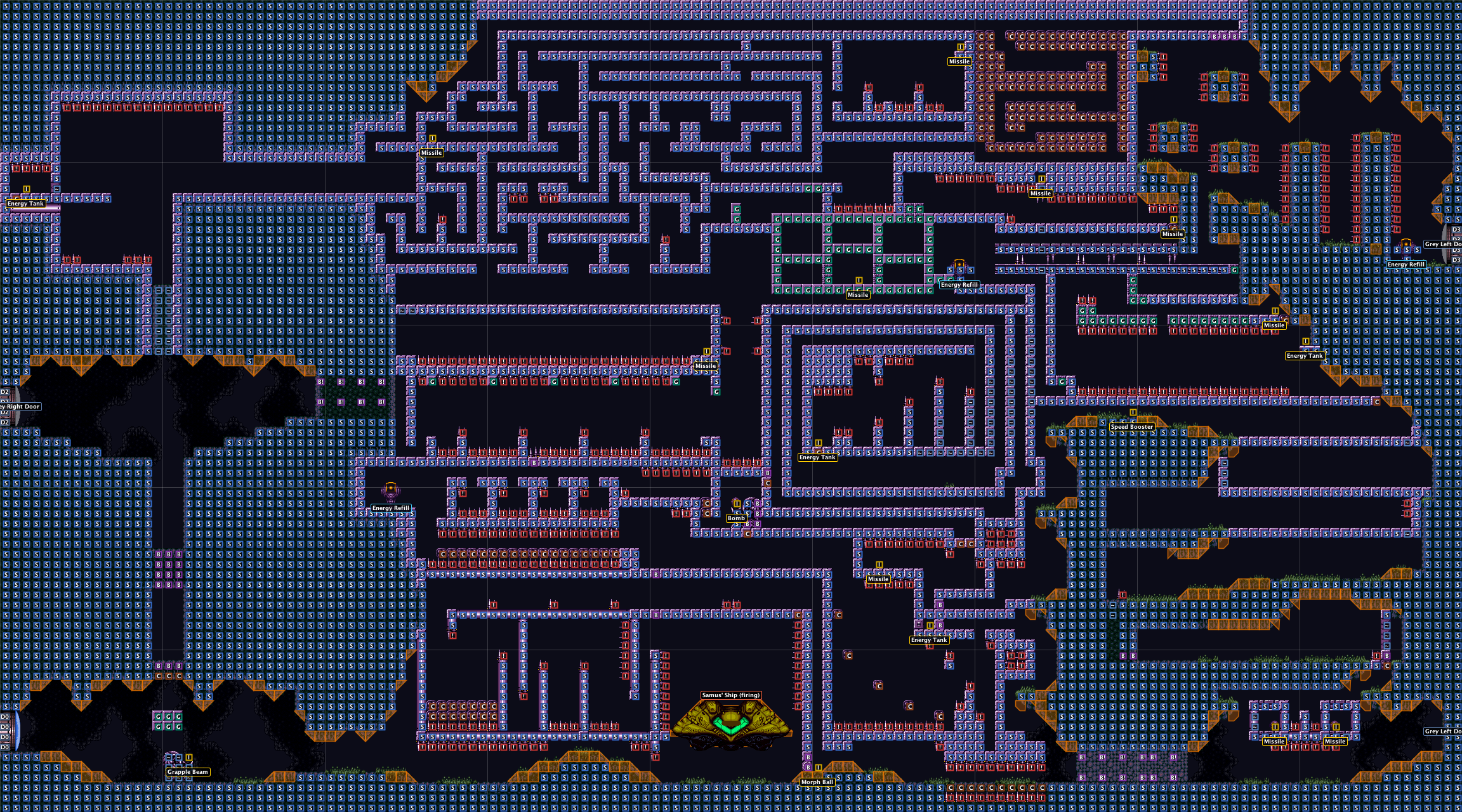
Toggleable overlays let you visualize all the hidden block types at a glance: solid blocks, slopes, doors, spikes, bombs, crumble, grapple, speed, shot blocks, items, and enemies.
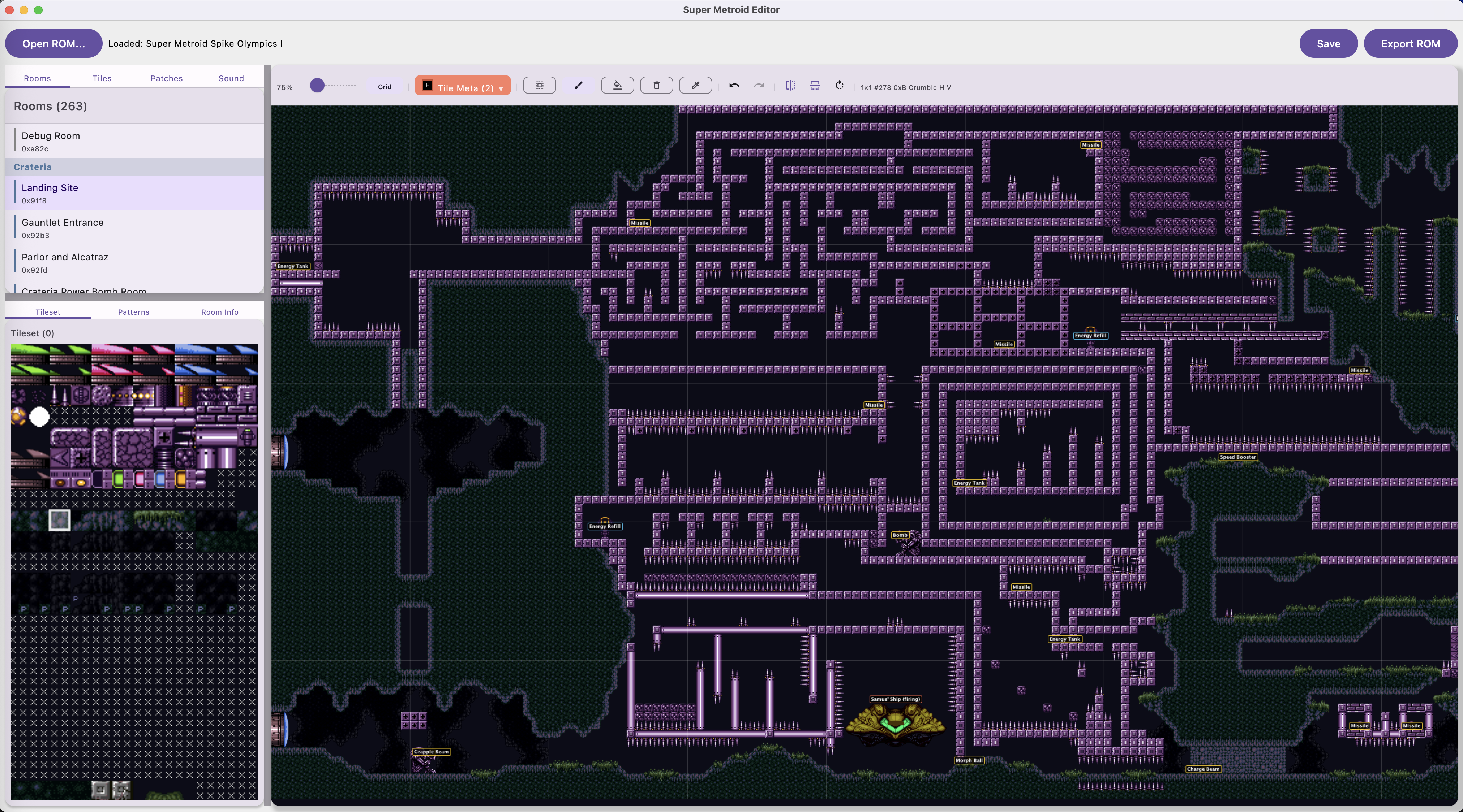
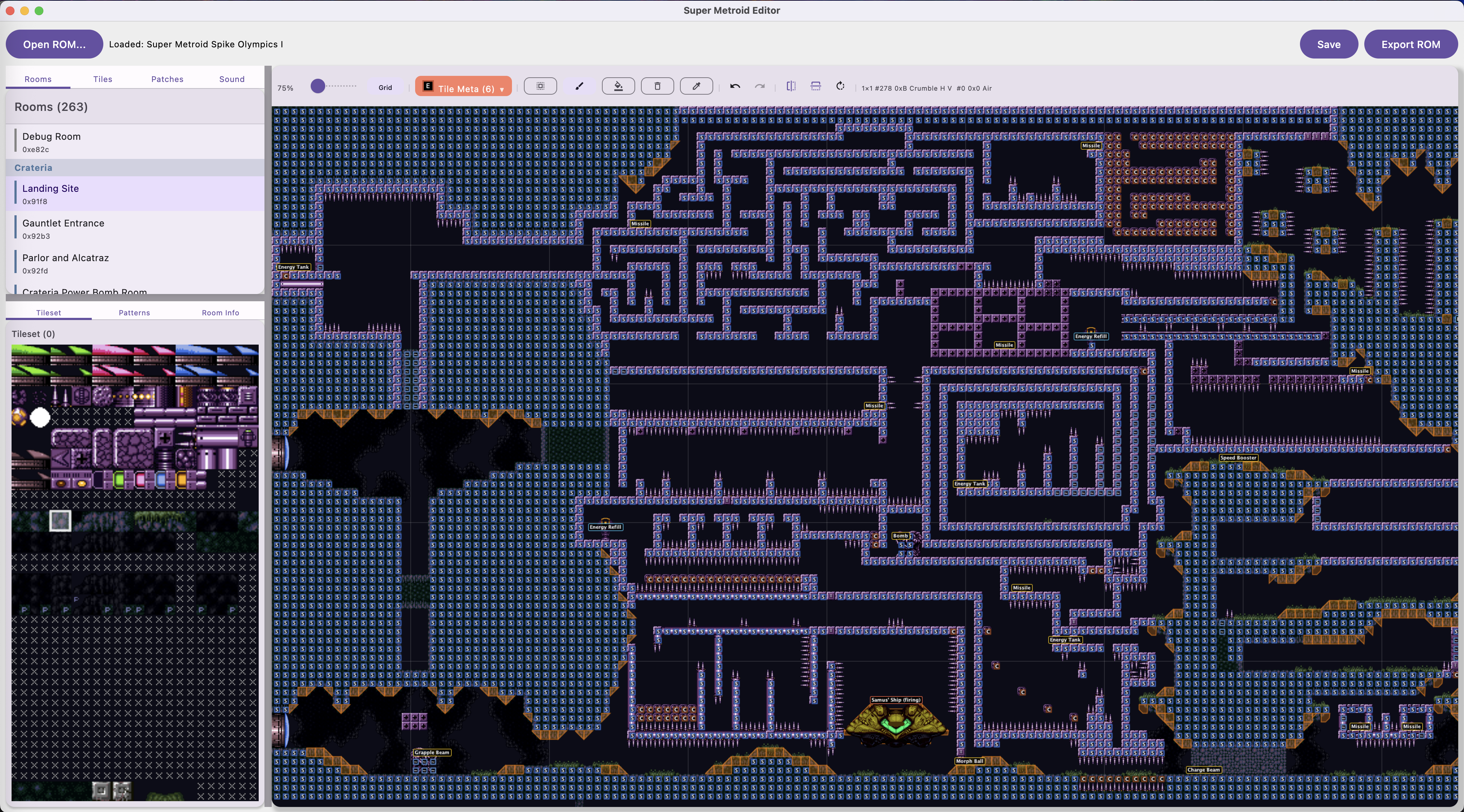
You can also place and remove PLMs (Post-Load Modifications) - doors, gates, items, save stations, refill stations, and more. Enemies can be viewed, placed, and edited per room with full property editing.
Slopes
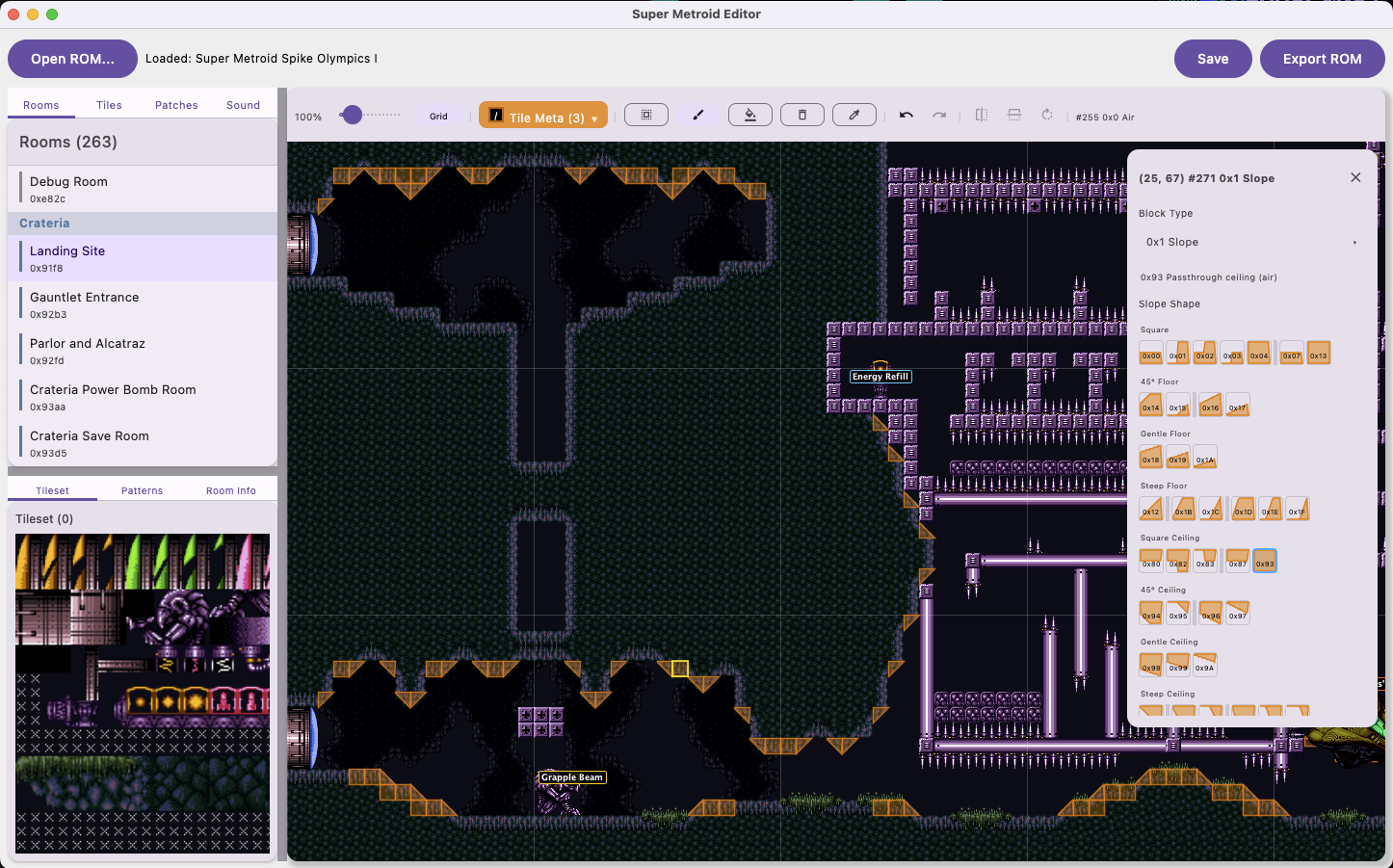
Right-clicking a block opens the block editor where you can set slope shapes. The editor shows all slope variants organized by type: square, 45-degree floor, gentle floor, steep floor, and all the ceiling equivalents. Each slope shape has a visual preview so you know exactly what you're placing.
Layer 3 FX
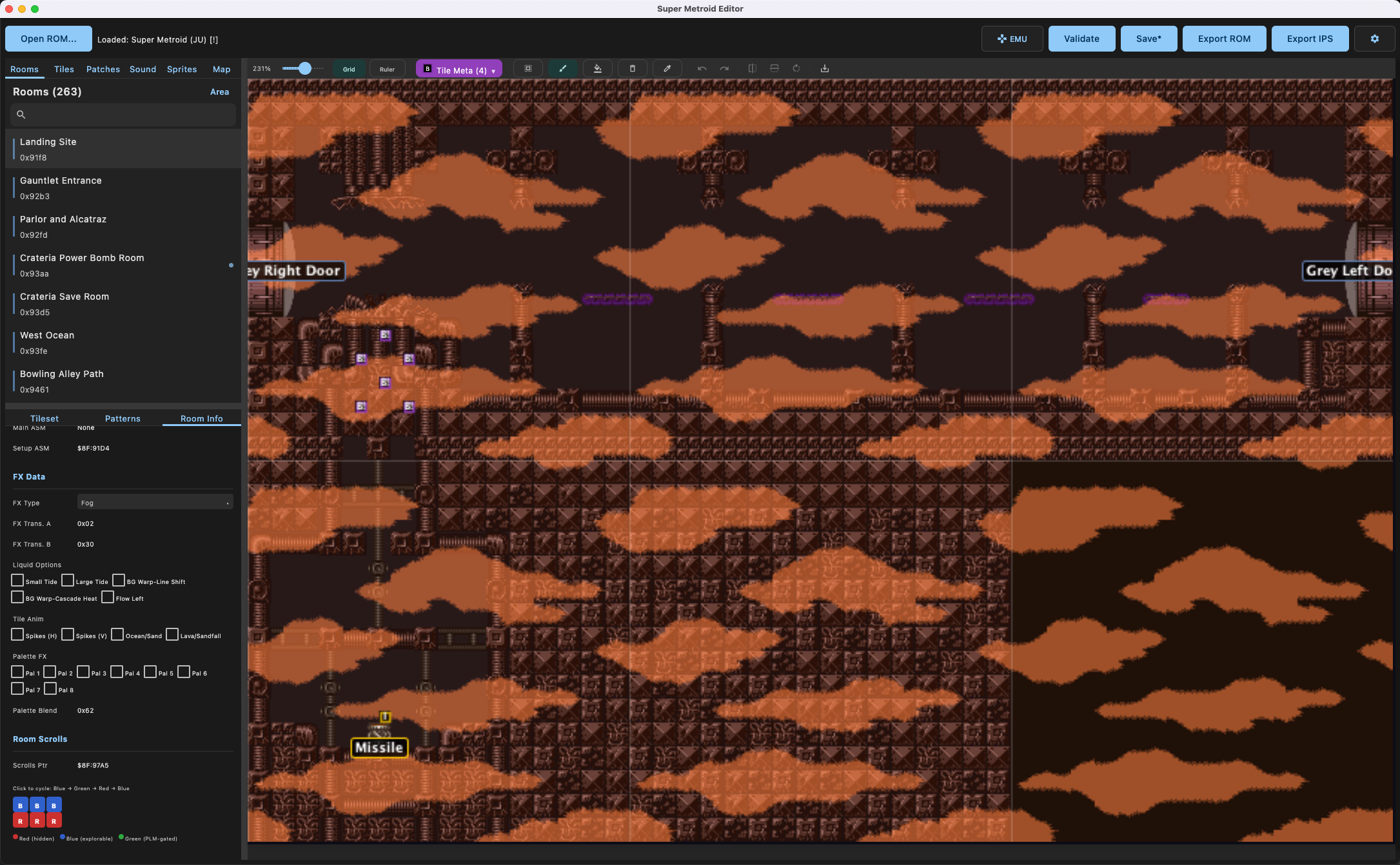
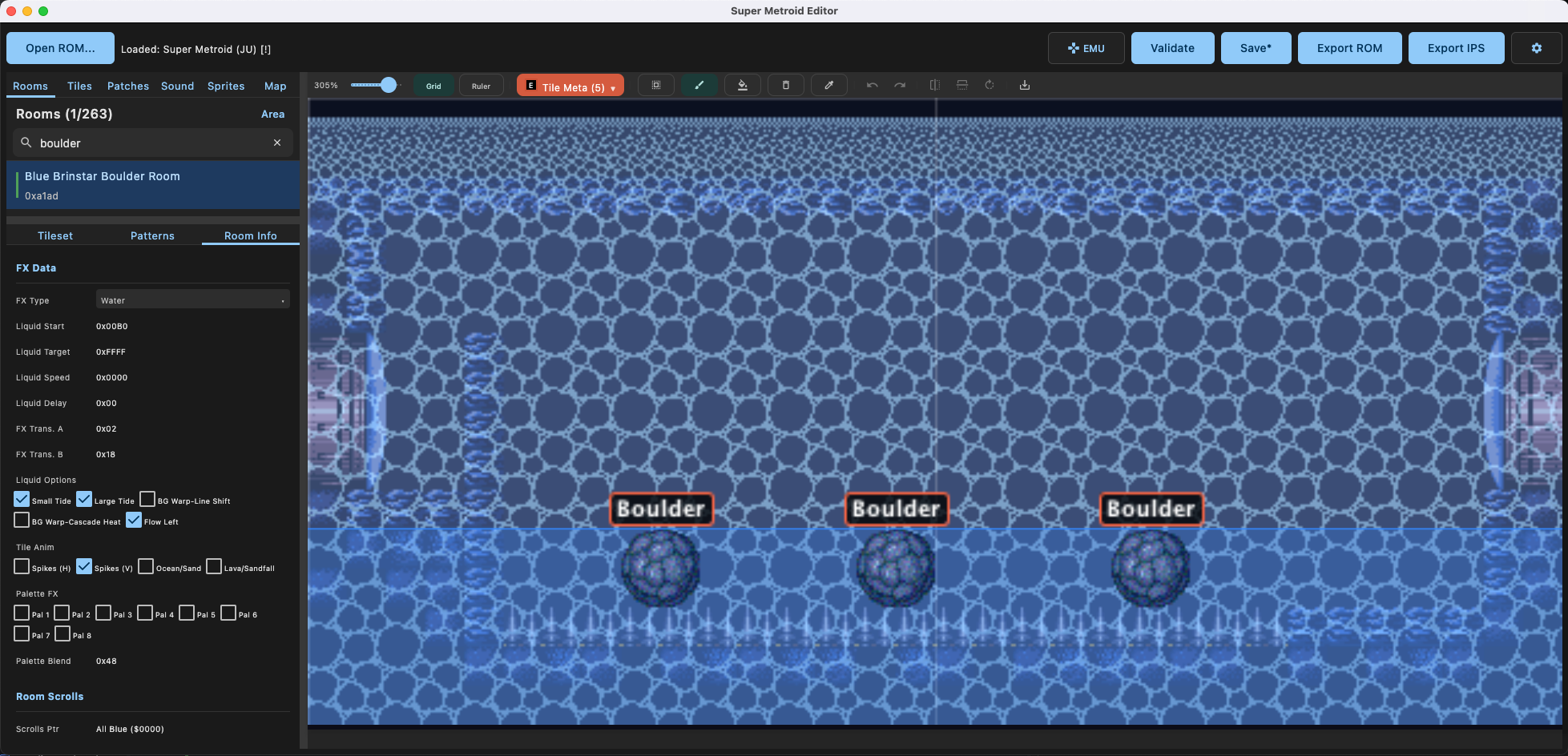
SMEDIT can render Layer 3 visual effects like fog and water overlays directly in the room editor.
Room Export
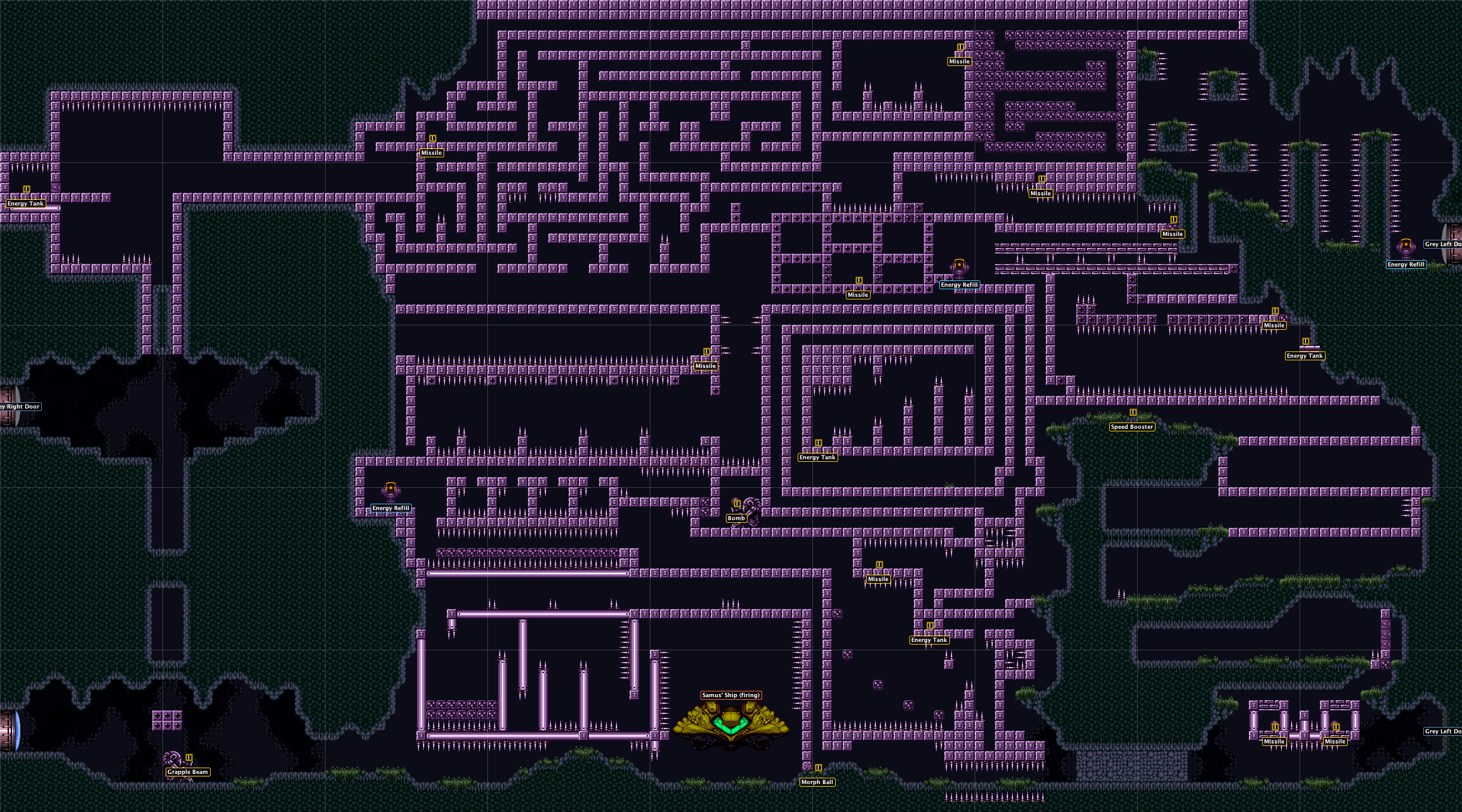
Rooms can be exported as full-resolution images, with or without metadata overlays. Here's the Landing Site exported with item labels, door labels, and enemy positions visible.
Tile Editor
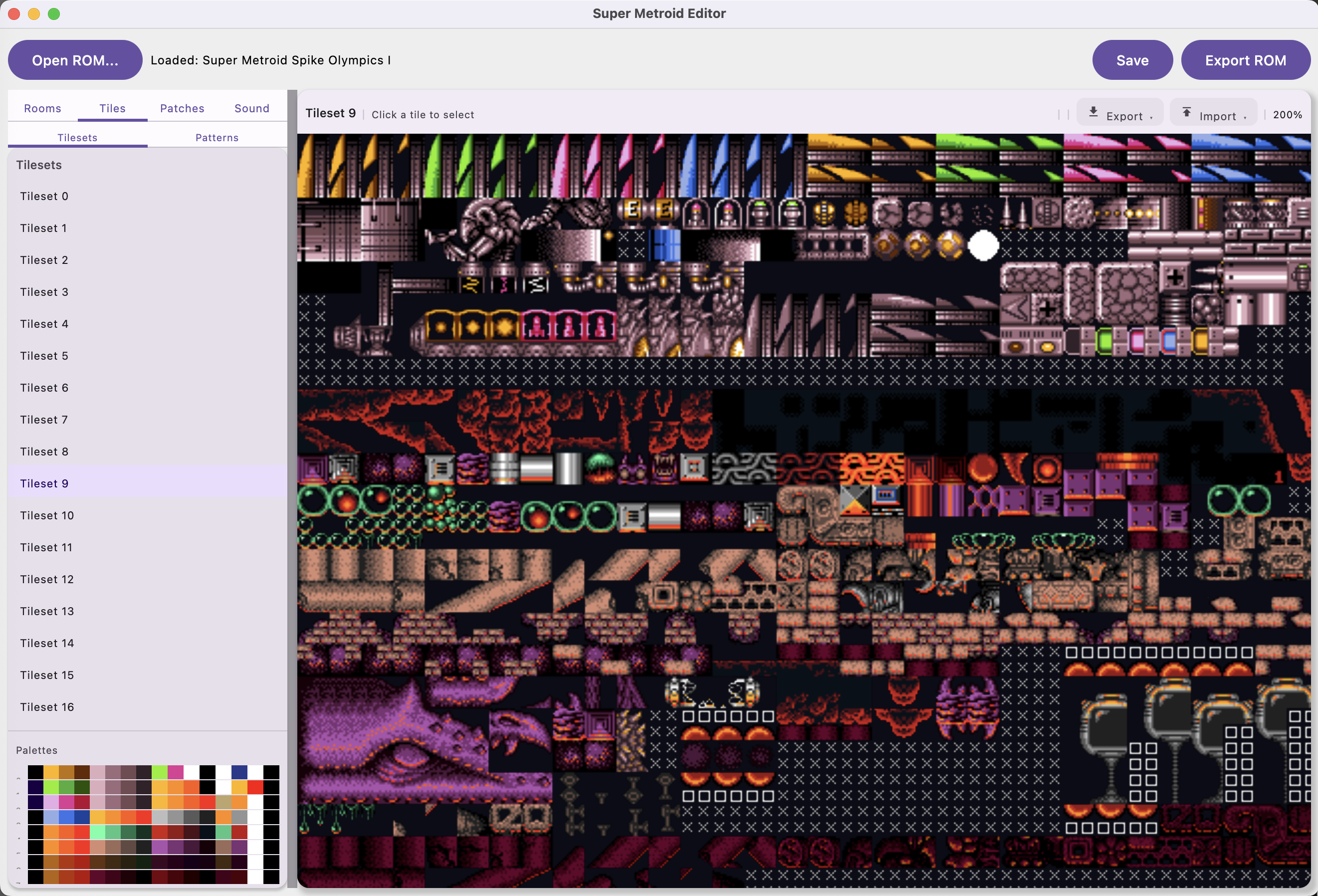
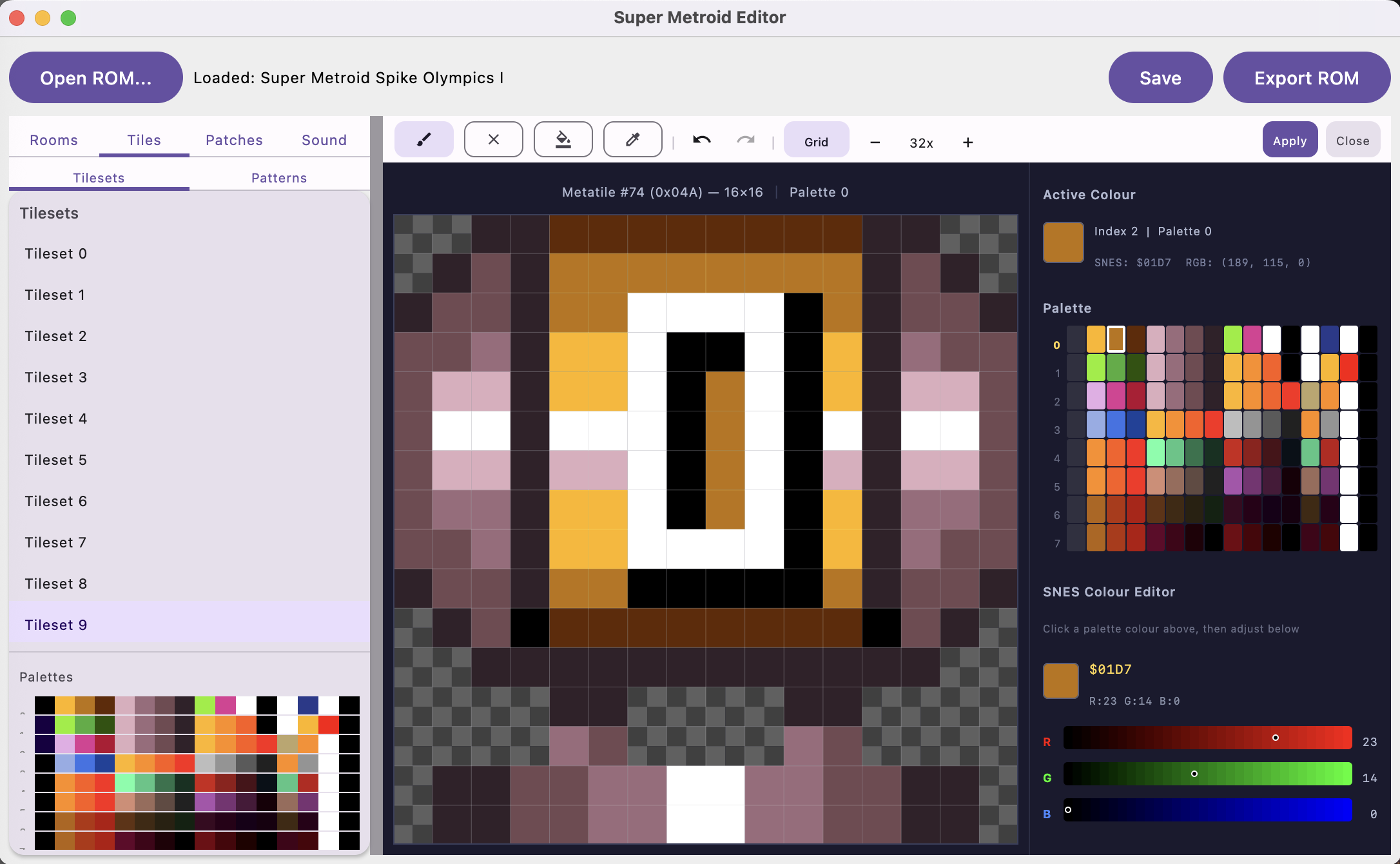
The tile editor lets you browse all 29 tilesets with their palette visualization. Click any metatile and it opens in a pixel editor where you can edit individual pixels, pick colors from the SNES palette, and adjust RGB values with sliders.
The SNES color editor shows the actual SNES hex color value alongside the RGB breakdown. You can paint, erase, fill, and eyedrop at the pixel level.
Pattern System
Save reusable tile patterns (doors, gates, platforms) for quick placement. The editor comes with built-in patterns for all door and gate colors in every direction, so you don't have to manually reconstruct them each time.
Sprite Editor
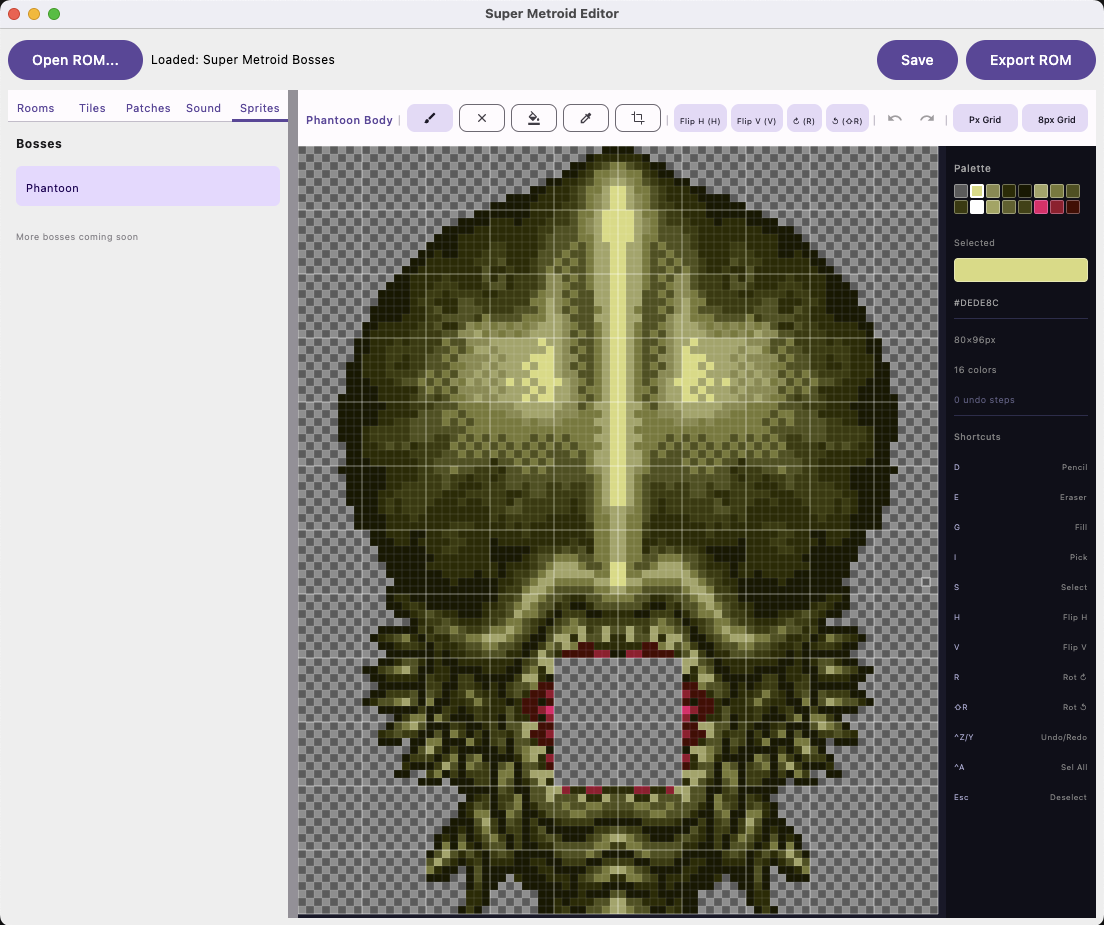
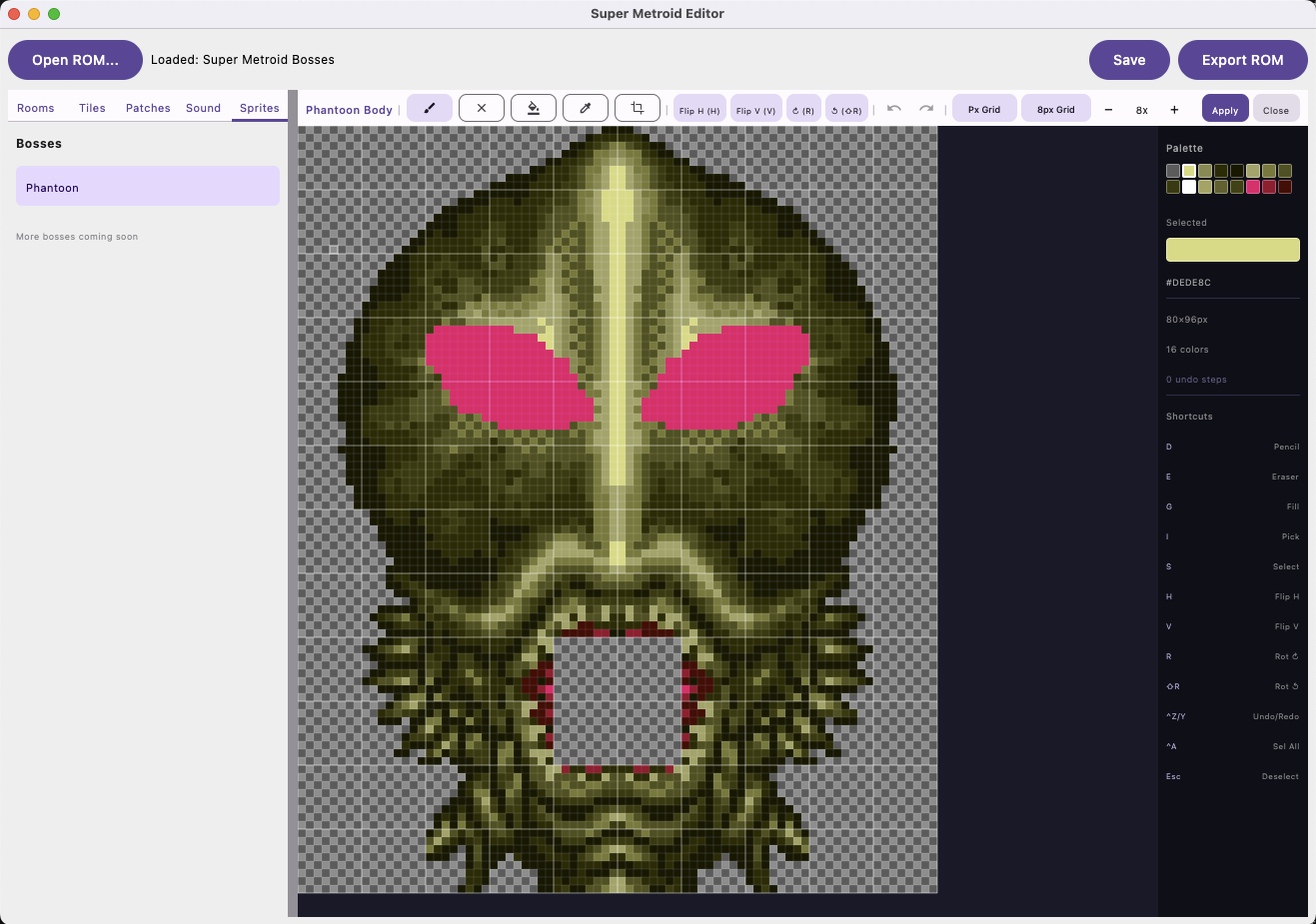
View and edit boss and enemy sprite assemblies with per-frame animation preview. The sprite editor includes pencil, eraser, fill, eyedropper, crop, flip (H/V), and rotate tools. Full undo/redo support.
Here's Phantoon in the sprite editor. I gave him some pink eyes just for fun.
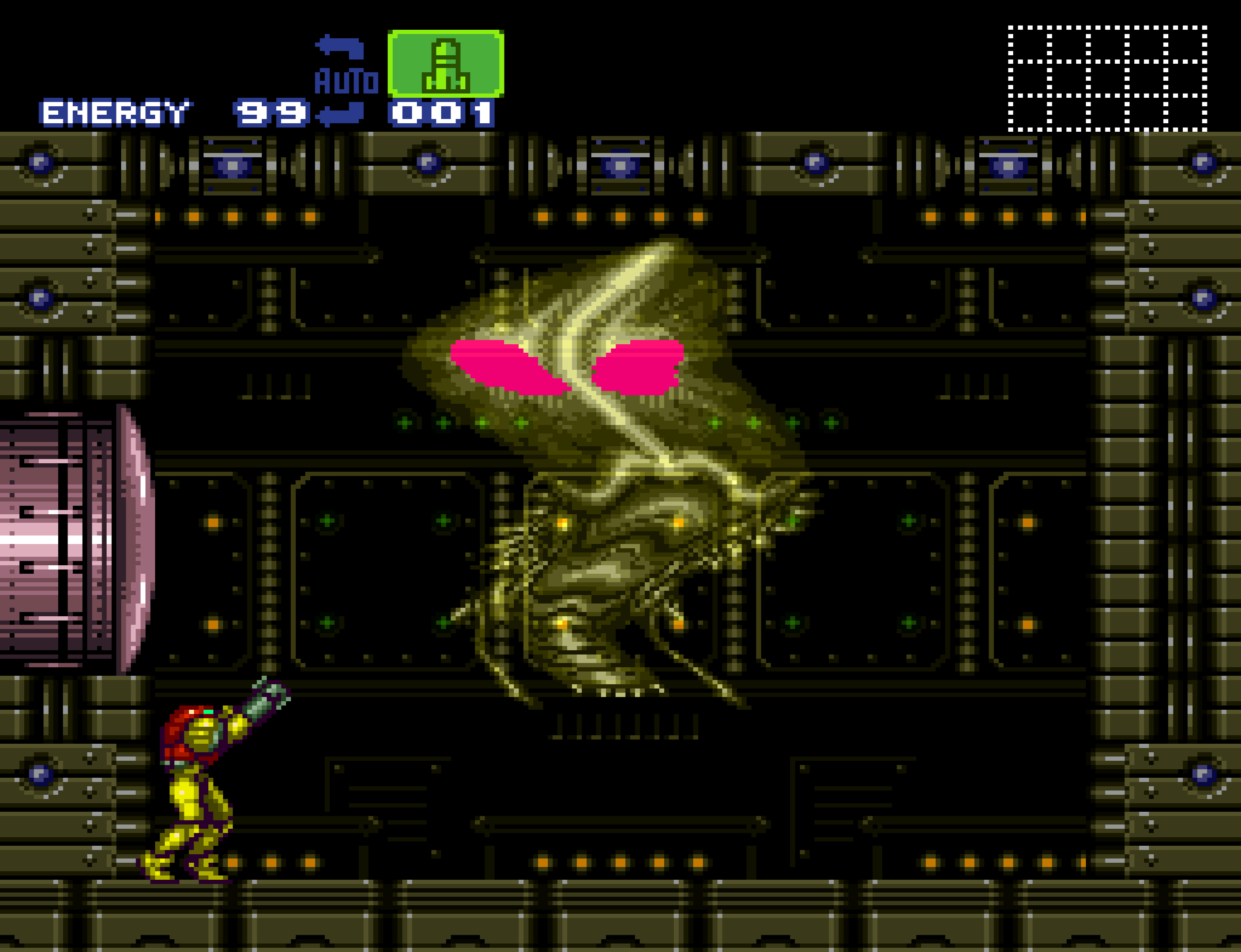
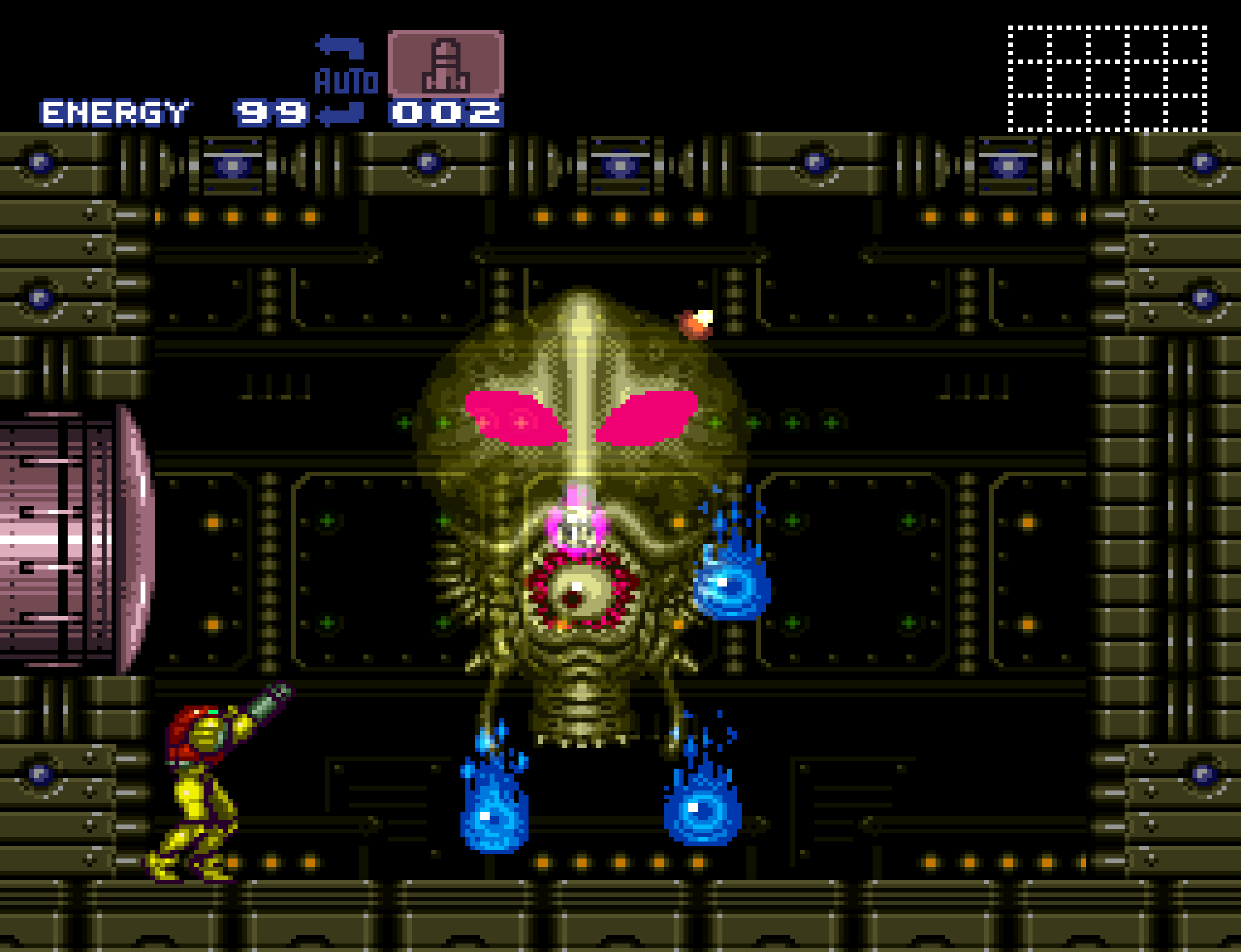
And here's the edited Phantoon running in-game through the embedded emulator. The pink eyes survived the round trip.
Minimap Editor
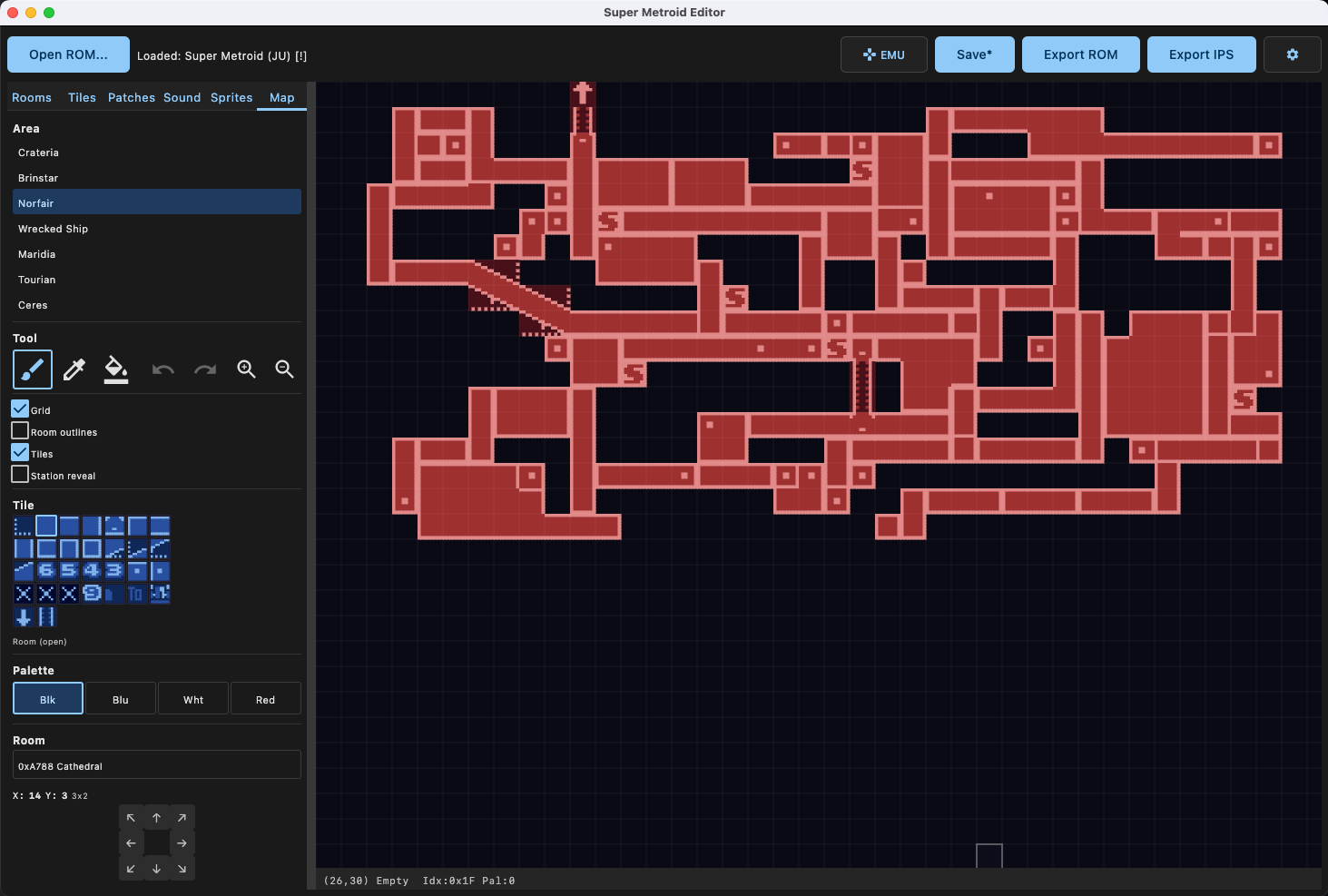
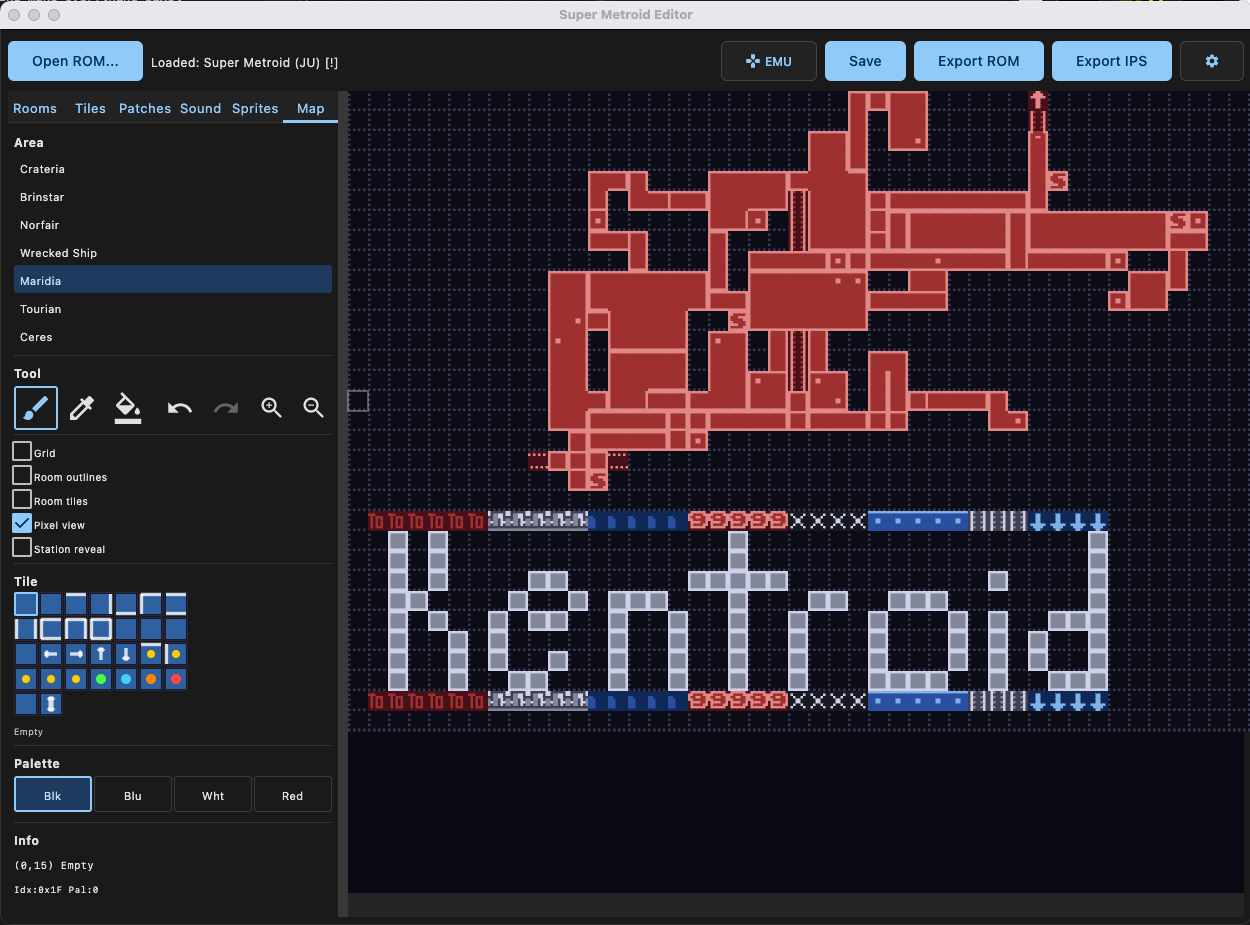
Edit the pause-screen map tiles with pixel-perfect 2bpp rendering. The minimap editor supports all 7 areas and includes paint, fill, and eyedropper tools. Room position editing is done with D-pad controls and a buffered move preview.
Overlay options include grid, room outlines, and station reveal. You can see each area's full map layout and tweak individual map tiles for custom ROM hacks.
Patch Manager
The patch manager is where things get really fun. You can apply, create, and manage IPS patches. There are tons of built-in patches for common hacks, and each one has a full UI for tweaking values.
Samus Physics
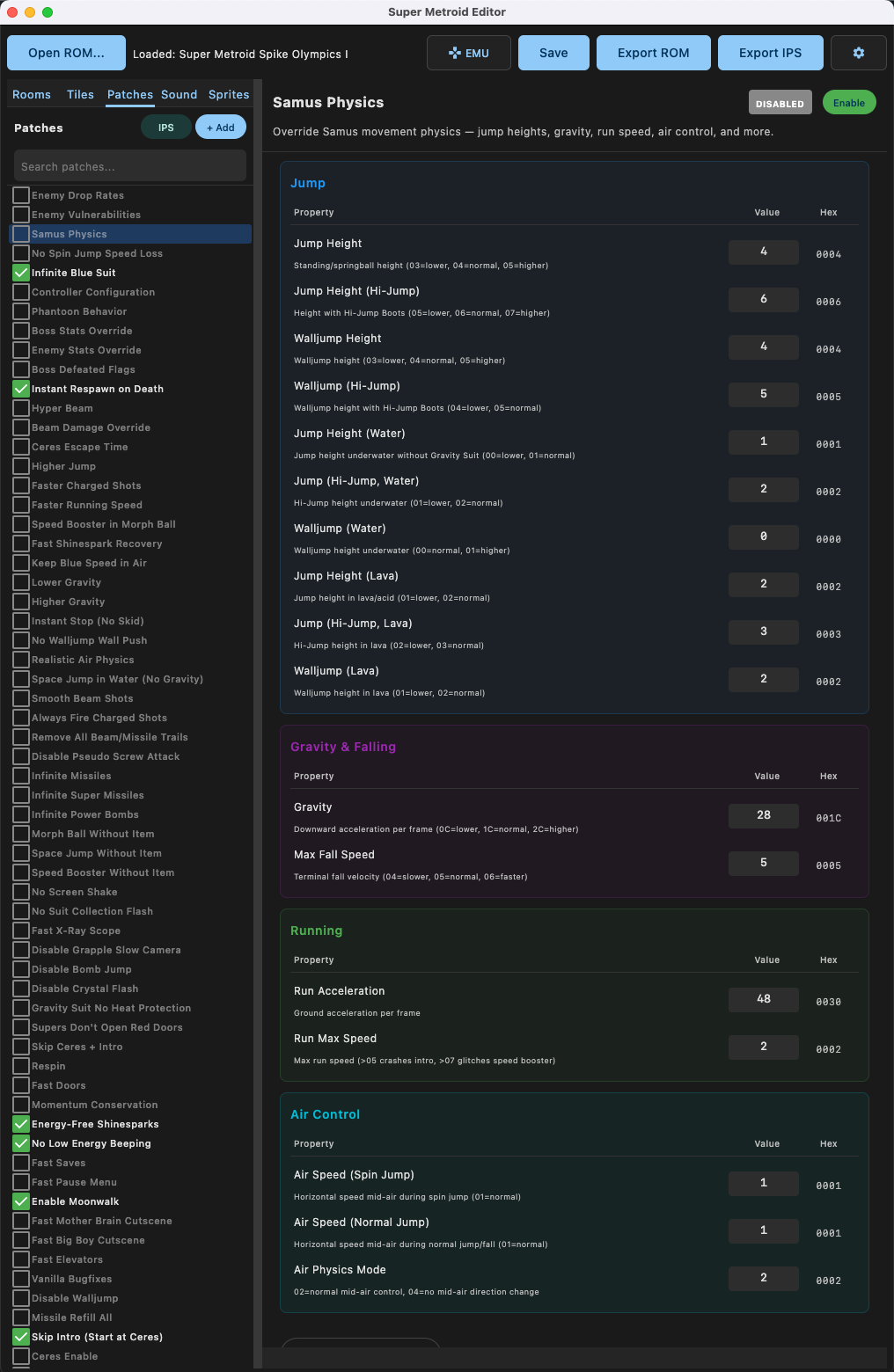
Override Samus' movement physics directly. Jump heights, walljump heights, hi-jump values, gravity, fall speed, run acceleration, run max speed, air control, all editable with numeric fields and hex readouts. Covers every environment: normal, water, and lava.
Enemy Drop Rates
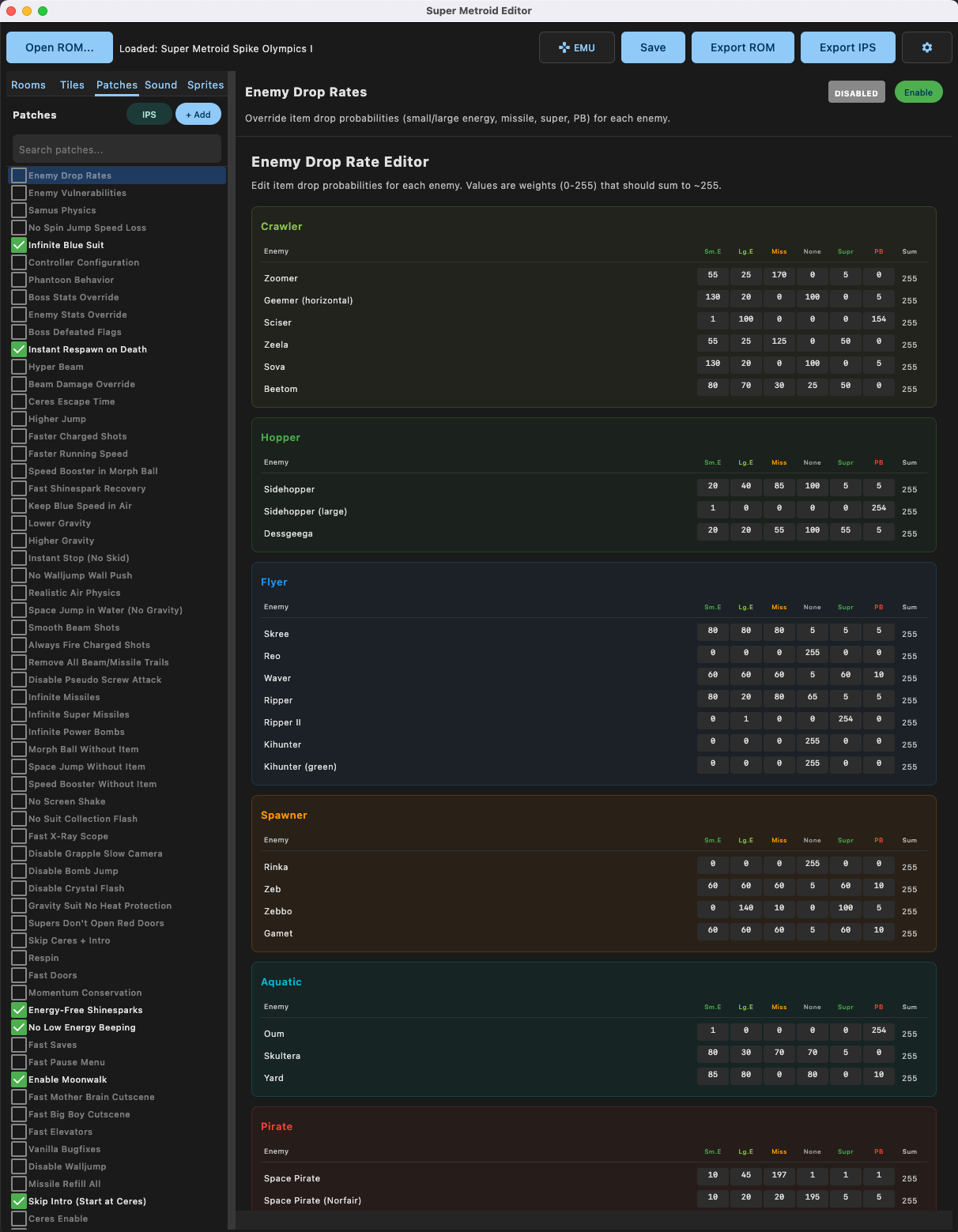
Edit item drop probabilities for every enemy in the game. Each enemy has weights for small energy, large energy, missile, nothing, super missile, and power bomb drops. Values are weights (0-255) that should sum to ~255.
Enemy Vulnerabilities
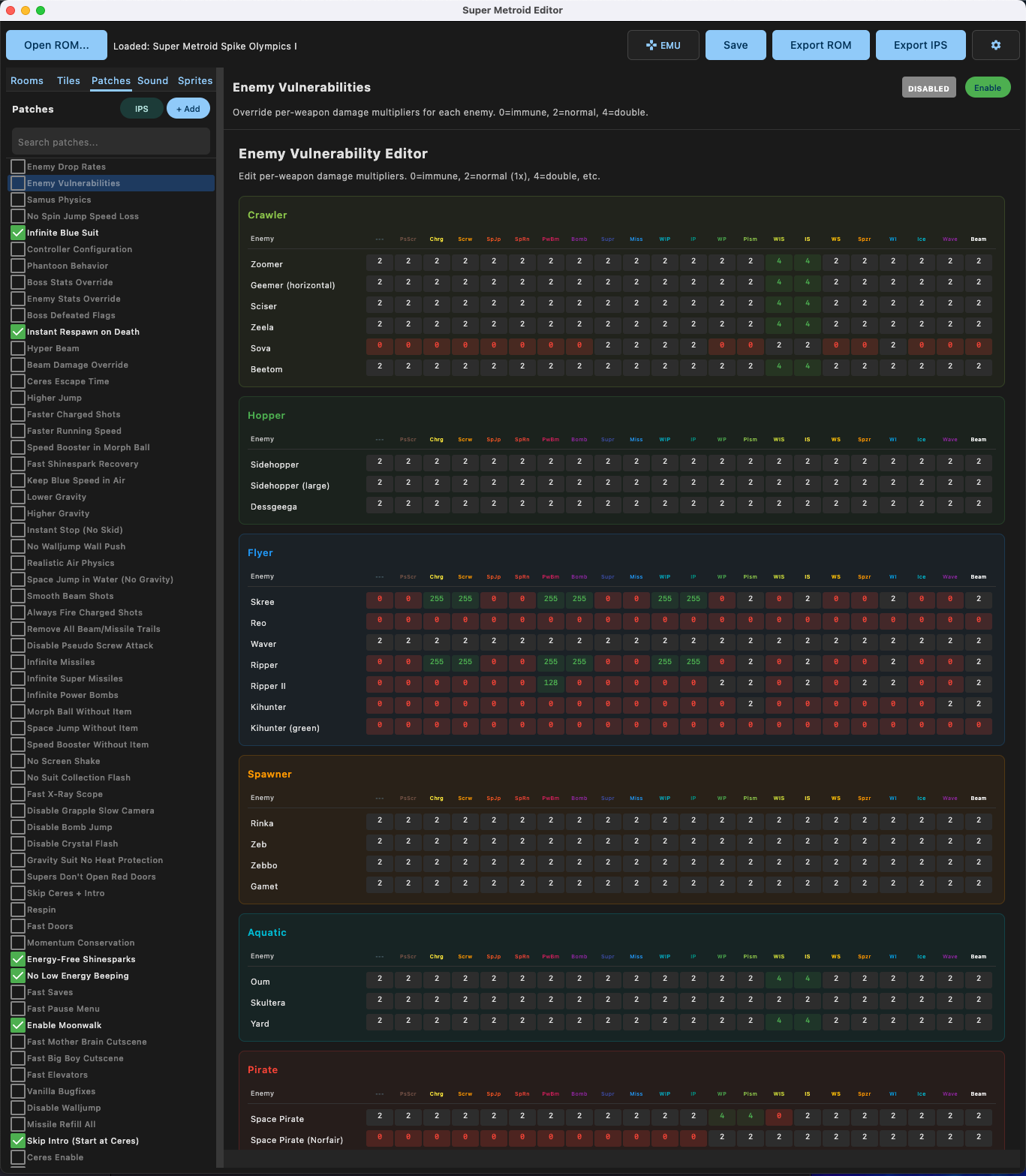
Override per-weapon damage multipliers for each enemy. 0 = immune, 2 = normal, 4 = double damage. Every weapon type is covered: power beam, charge, screw attack, spazer, plasma, bombs, supers, missiles, and more.
Boss Stats Override
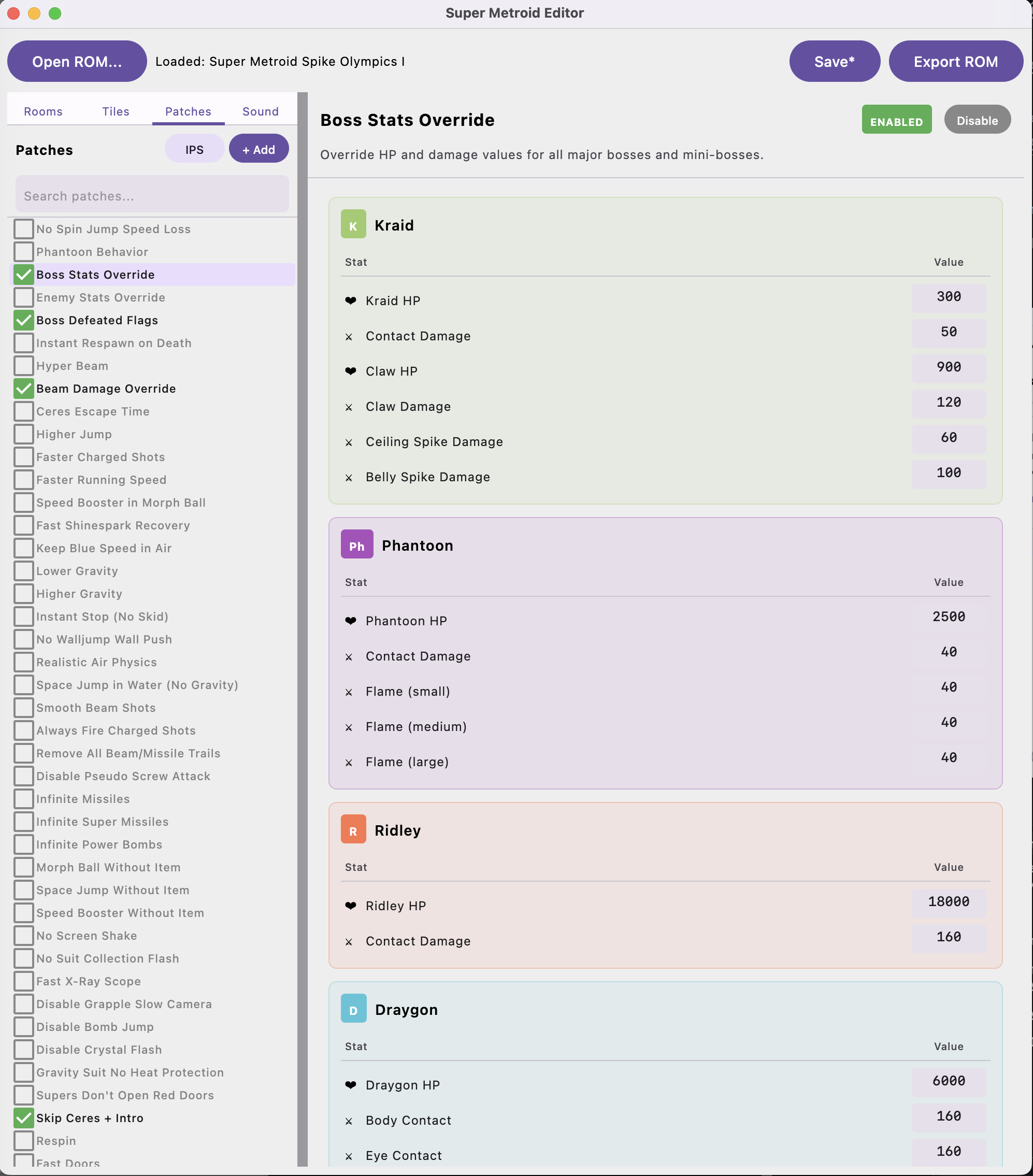
Override HP and damage values for all major bosses and mini-bosses. Kraid, Phantoon, Ridley, Draygon, each boss has individual stats for HP, contact damage, and attack-specific damage values.
Beam Damage Override
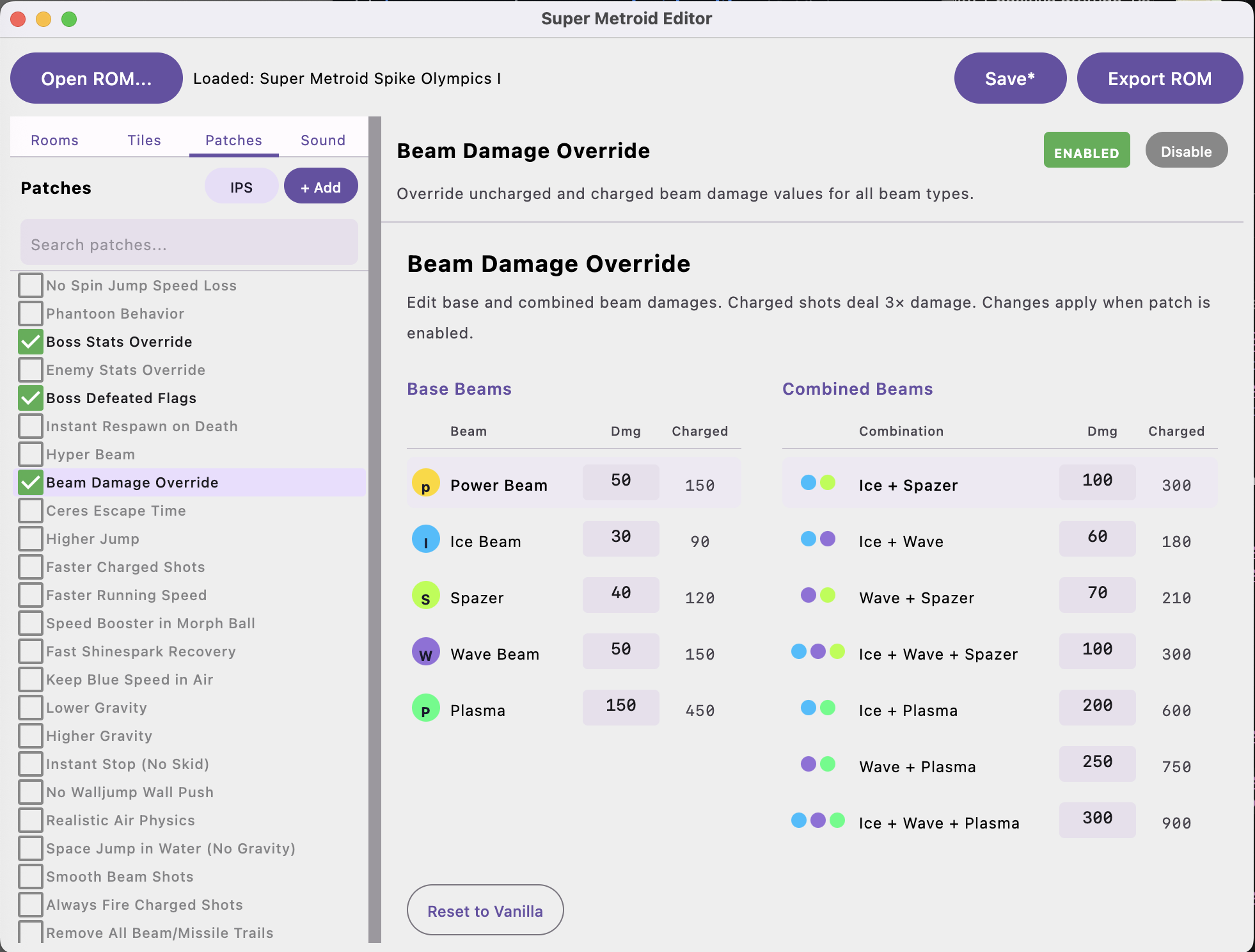
Edit base and combined beam damages. Shows both uncharged and charged values (charged = 3x). All beam combinations are listed: Ice + Spazer, Wave + Plasma, Ice + Wave + Plasma, etc.
Other Built-in Patches
There are many more built-in patches including: Infinite Blue Suit, No Spin Jump Speed Loss, Controller Configuration, Phantoon Behavior, Boss Defeated Flags, Instant Respawn on Death, Hyper Beam, Ceres Escape Time, Higher Jump, Faster Charged Shots, Faster Running Speed, Speed Booster in Morph Ball, Fast Shinespark Recovery, Keep Blue Speed in Air, Lower/Higher Gravity, Instant Stop (No Skid), Realistic Air Physics, Space Jump in Water, Infinite Missiles/Supers/Power Bombs, Morph Ball Without Item, Energy-Free Shinesparks, No Low Energy Beeping, Enable Moonwalk, Skip Ceres + Intro, and many more.
Sound Editor
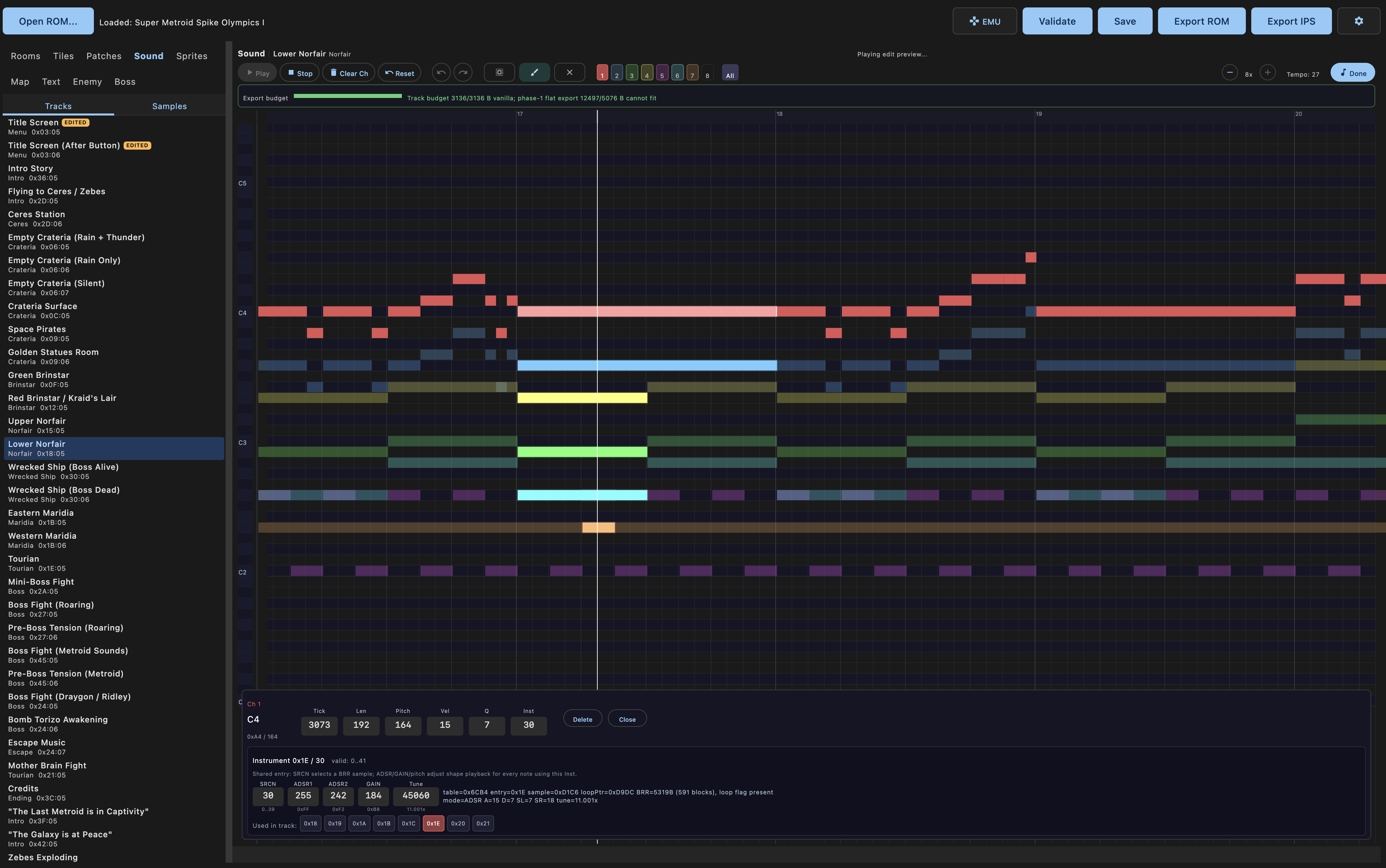
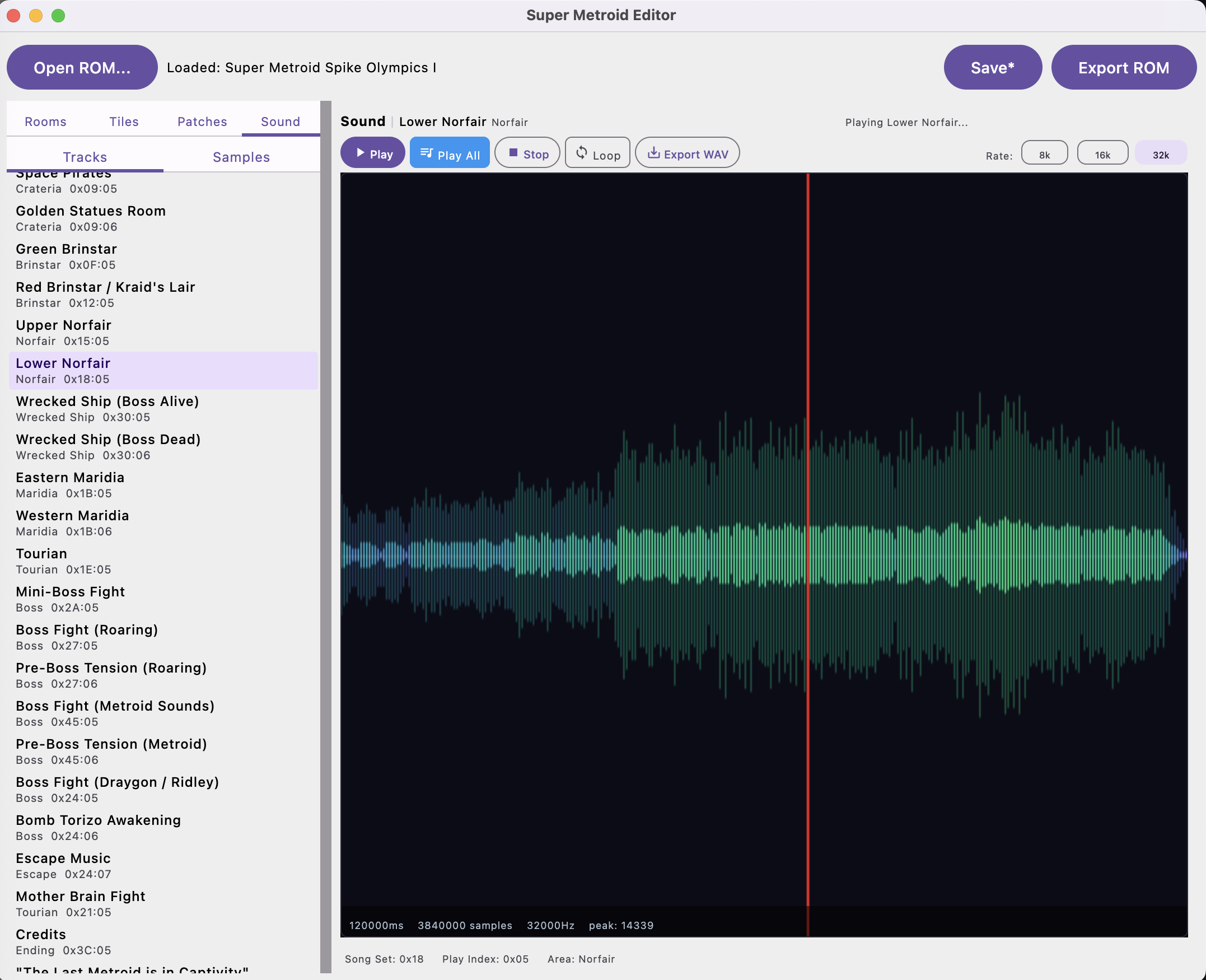
Browse and preview all in-game music tracks with cycle-accurate SPC700 emulation via blargg's snes_spc library. The sound editor shows a waveform visualization with playback position, and supports play, loop, stop, and WAV export. Sample rates of 8k, 16k, and 32k are selectable.
All tracks are listed with their area and song set IDs: Crateria, Green Brinstar, Red Brinstar / Kraid's Lair, Upper Norfair, Lower Norfair, Wrecked Ship, Maridia, Tourian, boss fight themes, escape music, credits, and more.
Embedded Emulator
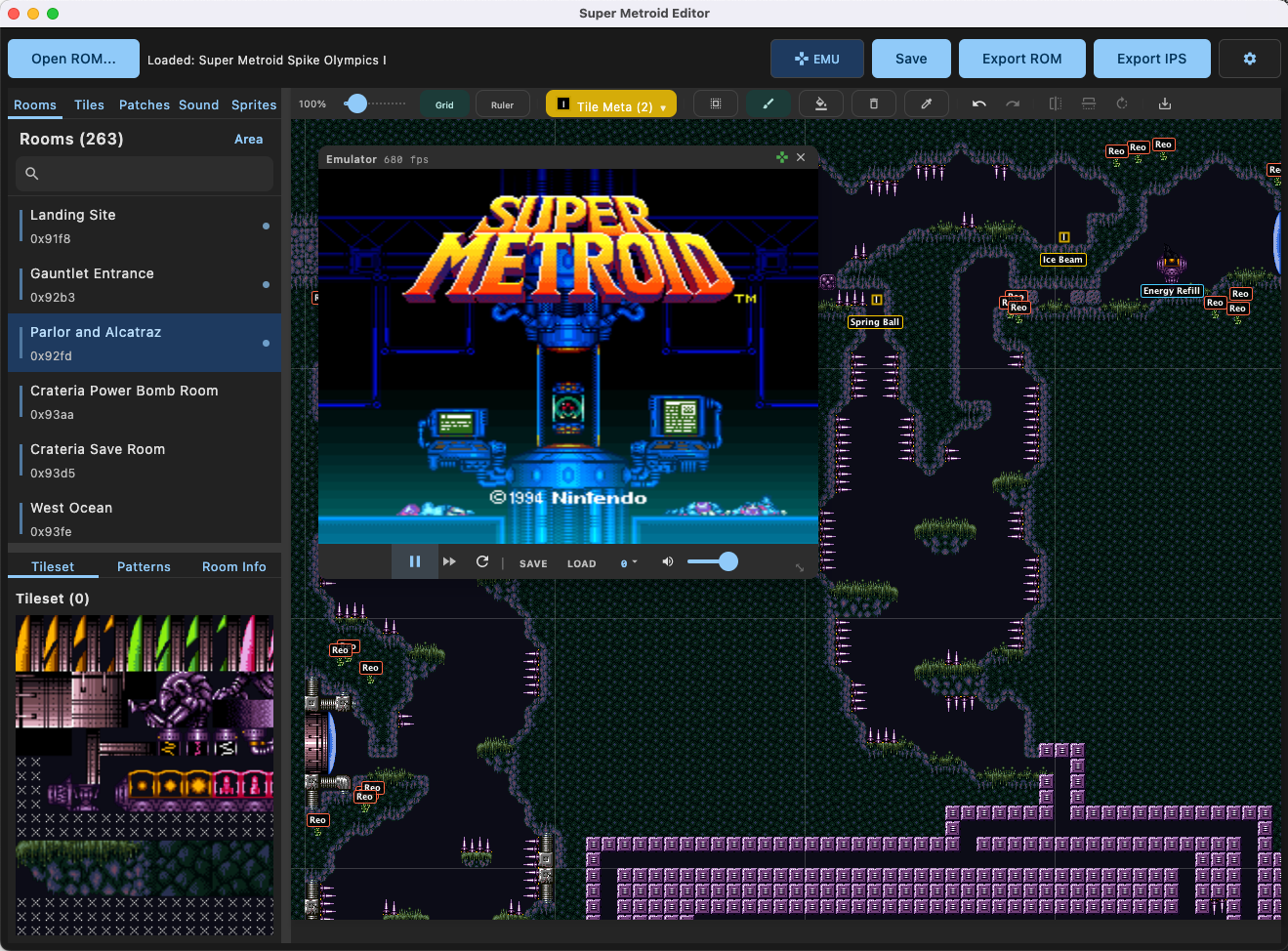
This is the feature that ties everything together. SMEDIT includes an in-process snes9x emulator loaded via JNA (libretro). Click the EMU button in the toolbar, press Play, and it exports a patched ROM with all your current edits applied and boots it right there in a floating window.
Controller support works via Bluetooth SNES controllers and other SDL-compatible gamepads through Jamepad/SDL2. Save state combos follow the Super Metroid practice ROM pattern:
R + Y + SELECT- Save stateL + Y + SELECT- Load stateL + R + Y + D-Pad Up/Down- Cycle save slot
Keyboard controls: Arrow keys for D-pad, Z/X/A/S for B/A/Y/X, Q/W for L/R, Enter for Start, Tab for Select.
How It Works
SMEDIT uses binary ROM patching with smart data relocation, the same approach as SMILE (the editor that powered 15+ years of community hacks), but with a cleaner architecture.
Edits are stored as non-destructive deltas in a .smedit JSON project file against an immutable ROM. At export time, the pipeline applies all patches. When data grows beyond its original size (e.g., adding more items or enemies than vanilla), the exporter automatically relocates data to free space in the appropriate ROM bank and updates all pointers.
Project Files & Export
Save and load projects as .smedit JSON files. Export patched ROMs directly, or export IPS patches that can be shared and applied by others.
Download
Grab the latest release from GitHub Releases.
| Platform | Format |
|---|---|
| macOS | .dmg |
| Windows | .msi |
| Linux | .deb |
No Java installation required, the JRE is bundled in all builds.
Building from Source
Requires JDK 17+ and a C++ compiler (Xcode CLI tools on macOS, g++ on Linux, MinGW on Windows).
# Clone with submodules (required for SPC audio + snes9x emulator)
git clone --recurse-submodules git@github.com:kennycason/super_metroid_editor.git
cd super_metroid_editor

# Run the editor
./gradlew :desktopApp:run

# Run tests
./gradlew :shared:jvmTest :desktopApp:jvmTest

# Package for your platform (.dmg / .msi / .deb)
./gradlew :desktopApp:packageDistributionForCurrentOS
CLI Export Tool
There's also a headless CLI module for structured JSON export with no GUI dependency:
# List all rooms
./gradlew -q :cli:runCli -Pargs="--rom rom.smc rooms"

# Export single room by handle or hex ID
./gradlew -q :cli:runCli -Pargs="--rom rom.smc room landingSite"
./gradlew -q :cli:runCli -Pargs="--rom rom.smc room 0x91F8"

# Navigation graph
./gradlew -q :cli:runCli -Pargs="--rom rom.smc graph"

# Full export to directory
./gradlew -q :cli:runCli -Pargs="--rom rom.smc export -o /tmp/sm_export"
Special Thanks
This project would not be possible without the incredible Super Metroid ROM hacking community and the resources they've built over the years.
Documentation & Research
- Metroid Construction Wiki the central hub for Super Metroid ROM hacking knowledge
- Patrick Johnston's Annotated Disassembly per-bank disassembly with full annotations, critical for understanding door systems, PLM sets, and boss AI
- Kejardon's SM Documentation authoritative sources for room headers, state data, and PLM structures
- SNESLab Wiki SNES graphics format reference
- snes.nesdev.org SNES tile system documentation
Projects & Tools
- SMILE Editor the original Super Metroid level editor that powered 15+ years of community hacks and served as the architectural reference for binary ROM patching
- MapRandomizer (maddo, kyleb) door handling, room geometry, and ASM patch references
- Super Metroid Decompilation (snesrev) full C reimplementation with struct definitions and per-bank implementations
- SM-SPC (PJBoy) fully symbolic, assemblable source code for Super Metroid's SPC audio engine
- SM Mod 3.0.80 community reference for species IDs and PLM editing conventions
Bundled Patches
Many built-in patches are sourced from or inspired by community work:
- Respin (Kejardon, P.JBoy)
- Fast Doors (NobodyNada)
- Momentum Conservation (Scyzer, Nodever2, OmegaDragnet7)
- Vanilla Bugfixes (total, PJBoy, strotlog, ouiche, Maddo, NobodyNada, Stag Shot)
- Skip Intro / New Game (theonlydude - RandomMetroidSolver, maddo)
Embedded Libraries
- snes9x SNES emulator by Gary Henderson, Jeremy Koot, and many others, loaded via libretro
- snes_spc (Shay Green / blargg)cycle-accurate SPC700 APU emulator for music playback
- Jamepad SDL2-based gamepad support for controller input
- JNA Java Native Access for loading native libraries in-process
Built with Kotlin and Jetpack Compose. Cross-platform macOS, Windows, and Linux.
 Arrived
 Ninja Turdle
 Twitch